If this is your first visit, be sure to
check out the FAQ by clicking the
link above. You may have to register
before you can post: click the register link above to proceed. To start viewing messages,
select the forum that you want to visit from the selection below.
I just ordered the Crucial MX200 500GB SATA 2.5 Inch Internal SSD and an adapter...and still waiting for the memory cards to arrive...can't wait, ha...
Yes, that is a good deal to juice up your Pro. That's pretty much what I did with mine at work and it runs like a champ. However, the link for the SSD is for the 250GB version. The 500GB version is $182. I think you would be fine with the 250GB you would just have to be very careful with files and to keep as much free space as possible.
That's only about a $200 investment...plus I had previously bought 32GB memory card for $120.
$320 total costs. utilizing my tower with CS5 Masterworks Suite...Final Cut Pro, and tons if other goodies, Lion ready...still get to use my Cinema Display, wireless keyboard and mouse...etc...
$320 is pretty good deal...especially considering I almost went for a Mac Mini Quad 8GB 500 HD for $800.
Agree or disagree?
Thanks for all your help...couldn't have possibly done it without you guys...
I have four HD bays. Two are filled (250 GB each)...then I'll be adding the SSD (500 GB) to the third bay...and would still have room for one more (fourth bay)...I guess getting an additional conventional HD for extra storage in that one is a possibility...
That's only about a $200 investment...plus I had previously bought 32GB memory card for $120.
$320 total costs. utilizing my tower with CS5 Masterworks Suite...Final Cut Pro, and tons if other goodies, Lion ready...still get to use my Cinema Display, wireless keyboard and mouse...etc...
$320 is pretty good deal...especially considering I almost went for a Mac Mini Quad 8GB 500 HD for $800.
Agree or disagree?
Thanks for all your help...couldn't have possibly done it without you guys...
I would recommend that you get the largest size SSD drive you can afford. As your boot drive fills up with files and the free space dwindles, that slows your system as well. If you get a smaller drive, make sure you store ALL of your non system, non APP files and documents on your other hard drives. Keep in mind that when you save a file to your desktop, you are saving it to your boot drive.
Apple's new Mac Pro has some Mac users buzzing: the tiny machine appears to be crazy fast, and it's a total redesign of the system - replacing the giant aluminum box of yore with a tiny little black c
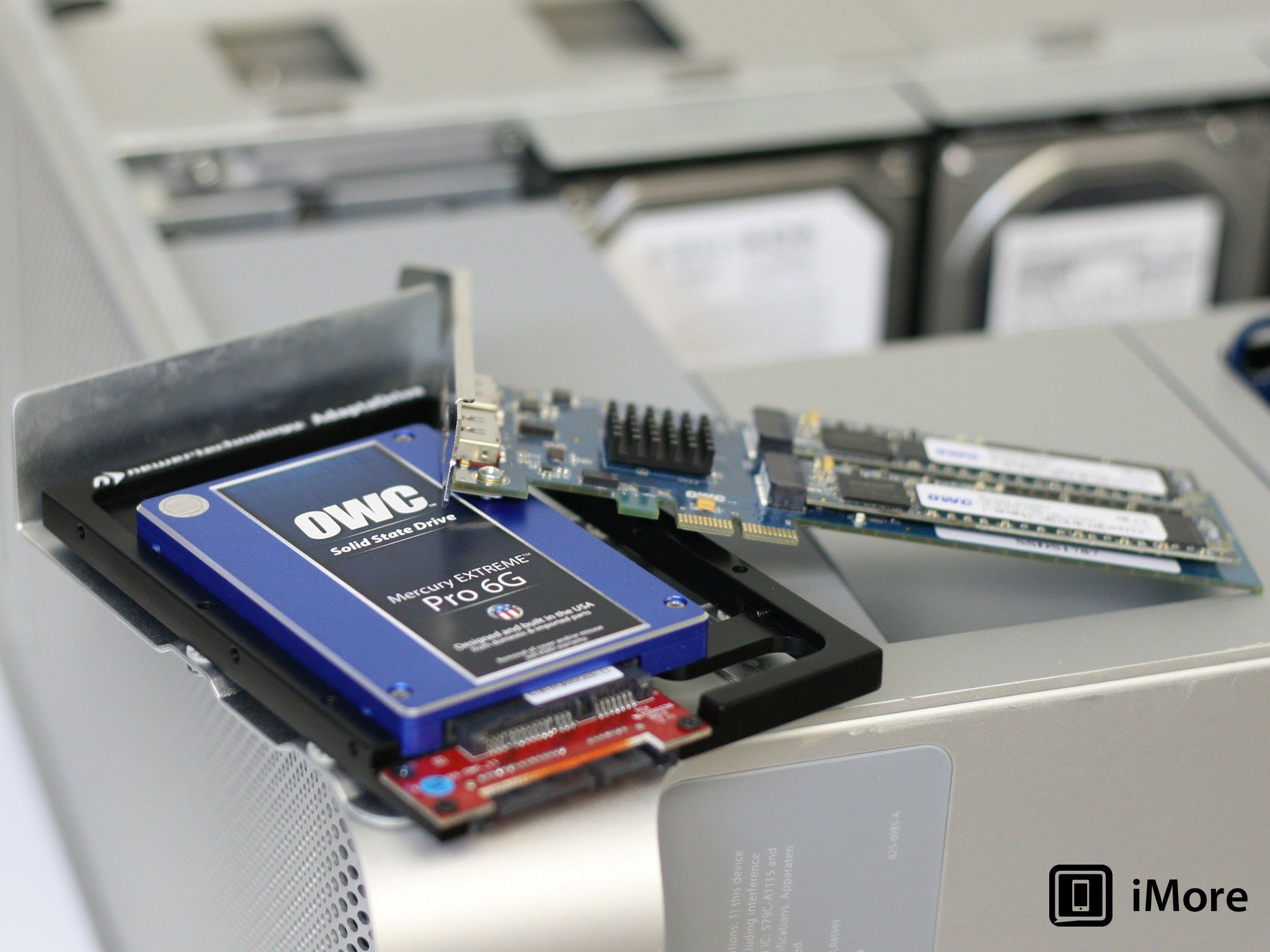
"There are a few caveats, depending on the age of your Mac Pro. Early Mac Pros (models built in 2006 and 2007) sport PCIe 1.0 slots that don't perform as fast as later models, so you will be bandwidth-limited on those machines. 2008 models and beyond, like my eight-core Mac Pro, have faster PCIe 2.0 slots. The 2008 model has two 16x slots, and one is occupied by the stock video card. If you're only using one video card, you can use the other for the SSD and see maximum throughput. In any of the other 4x slots you're going to see slower performance. 2009 and newer Mac Pros will see the best performance out of any available slot."
From the questions and answers section:
claustin
"My brother has a first gen Mac Pro from 2007. Mac Pro 1,1 I believe. Would there be any gain in a PCIe SSD running on the PCIe 1.0 slot as opposed to a SATA SSD? Also, is it possible to roll a fusion drive utilizing a PCIe SSD (I've done it on my 2011 mini, so I'm not worried about the process)? I'm just looking to help him milk it as long as he can."
REPLY
Peter Cohen
"In short, no. He's better off with a SATA SSD."
So since I have the first generation aluminum tower Mac Pro 1.1 2007...I guess my best option is to pass on the PCI adapter...and just go with an SSD card mounted on an adapter into a HD bay. Get the Crucial over the OWC as well...great reviews and cheaper priced.
Agree or disagree?
Unfortunately, I agree. The older Pros do have slower slots and you wouldn't see much of a difference. Not enough to be worth the extra cost.
Apple's new Mac Pro has some Mac users buzzing: the tiny machine appears to be crazy fast, and it's a total redesign of the system - replacing the giant aluminum box of yore with a tiny little black c
"There are a few caveats, depending on the age of your Mac Pro. Early Mac Pros (models built in 2006 and 2007) sport PCIe 1.0 slots that don't perform as fast as later models, so you will be bandwidth-limited on those machines. 2008 models and beyond, like my eight-core Mac Pro, have faster PCIe 2.0 slots. The 2008 model has two 16x slots, and one is occupied by the stock video card. If you're only using one video card, you can use the other for the SSD and see maximum throughput. In any of the other 4x slots you're going to see slower performance. 2009 and newer Mac Pros will see the best performance out of any available slot."
From the questions and answers section:
claustin
"My brother has a first gen Mac Pro from 2007. Mac Pro 1,1 I believe. Would there be any gain in a PCIe SSD running on the PCIe 1.0 slot as opposed to a SATA SSD? Also, is it possible to roll a fusion drive utilizing a PCIe SSD (I've done it on my 2011 mini, so I'm not worried about the process)? I'm just looking to help him milk it as long as he can."
REPLY
Peter Cohen
"In short, no. He's better off with a SATA SSD."
So since I have the first generation aluminum tower Mac Pro 1.1 2007...I guess my best option is to pass on the PCI adapter...and just go with an SSD card mounted on an adapter into a HD bay. Get the Crucial over the OWC as well...great reviews and cheaper priced.






Leave a comment: