


So this one is compatible with my Mac Pro 2.66...
So if I already have Lion. Why do I need to reinstall it?
Where do I place the SSD...in the first slot? Move the HDD to the next slot?
How about Applications and my Adobe software. Do they transfer automatically to the SSD?
So by HDD being backup...I work Illustrator/Photoshop through the SSD...and transfer to HDD as storage?
No deletion of my files will happen?
Sorry for my inane questions, I'm not a techie, lol.
Thanks!
-
This one?

Also, do I have to back up everything before I remove all the current memory cards and add the new ones?Leave a comment:
-
Based on your serial number, the last one on this list seems to be what you have.
http://www.everymac.com/ultimate-mac...ds=G86402MMUPZLeave a comment:
-
I agree with this 100%.
I'm not a Mac Pro by any stretch...but...Maxing your RAM with the Best Chipset it can handle (Speed & Size) WITH the Best SSD your system can take and you can afford...regardless of OS (Mac, Linux, M$)...you WILL see a very noticeable improvement...no doubt.
I personally revived otherwise labeled 'Door-Stop' systems by their owners using this simple HW Upgrade (along with some Heavy Duty Scrubbing of the HD & OS).Leave a comment:
-
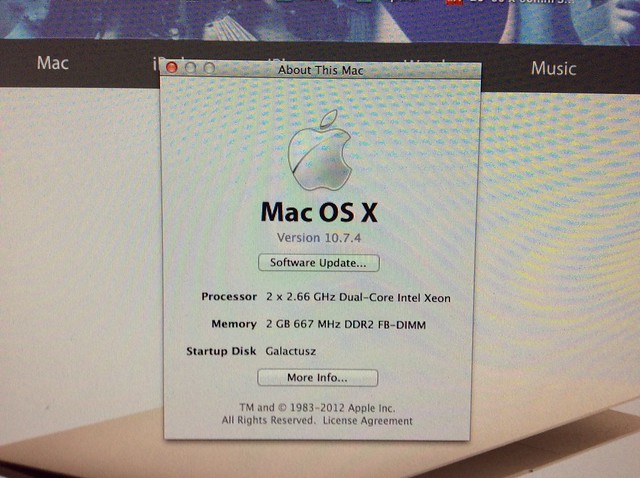
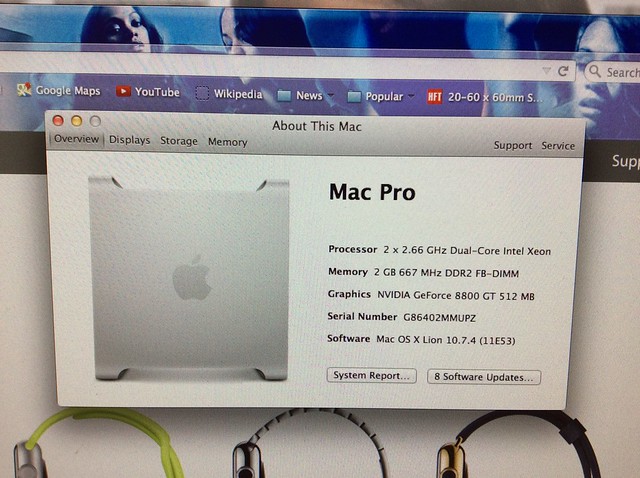
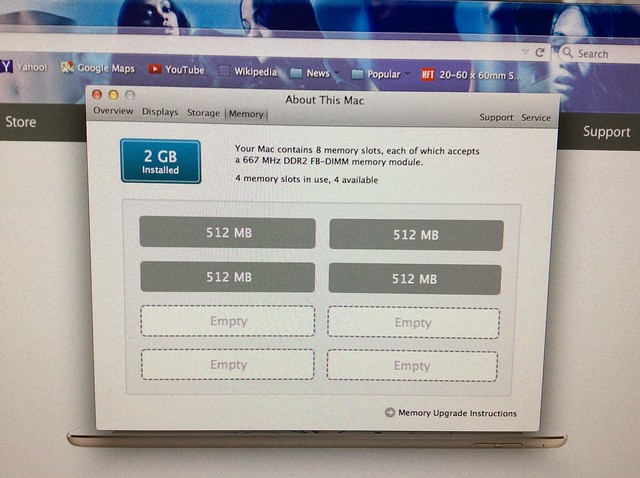
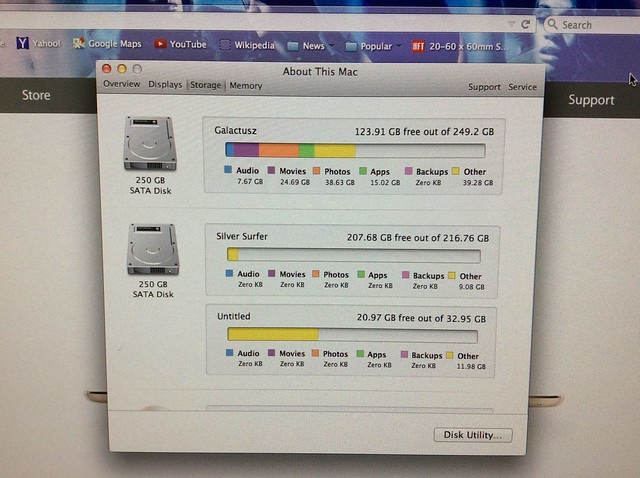
Is my Mac Pro a quad? I thought it was just dual...but it's says 2x dual core...I bought it from a local graphic designer seven years ago...and I just didn't know.
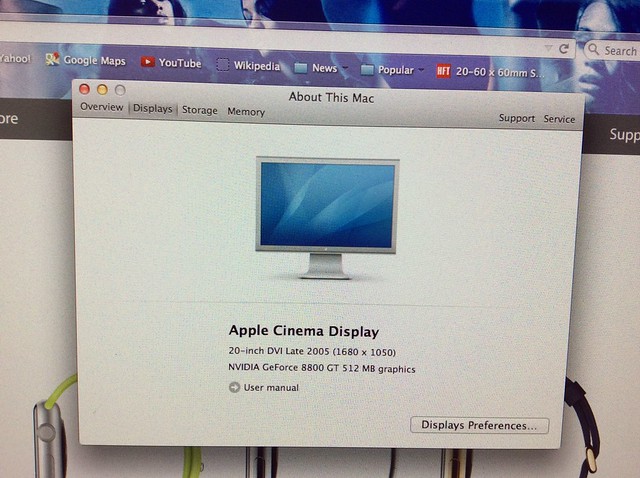
So here are all the specs in pics...remember...I just bought 32GB OF ram...so all eight slots are going to be filled.
Basing upon my specs...please advise what exactly extra I should get...I wanna really supe up this thing, lol.
Thanks!

Leave a comment:
-
-
Can you guide me a bit further with that?
Which specific SSD?
Something like this?
Leave a comment:
-
I will, thanks.
My iPad Air is retina display.
But I don't like that glossy screen on iMacs...I prefer my Cinema Display for illustrator and Photoshop...plus why spend more money if my Mac Pro comes to life.
Much appreciate the help, Guys.Leave a comment:
-
More ram should help a lot, and I'd recommend buying an SSD and loading Lion on it, and using your HDD as your secondary(storage) drive. It will wake that Pro up and it will feel like a new machine.Leave a comment:
-
Photoshop, Illustrator, video editing...?
I'd get an iMac and run your old Cinema screen as a second monitor. Two words: Retina Display. And just think of all those palettes off on a second screen.
I used to be a tower guy but now I find treating my Macs as disposable, rather than upgradable, makes more economic sense. Currently on my 4th iMac (along with a small mountain of other Apple products).Leave a comment:
-
I'll be doing a lot of home movie editing too...I guess I need all the RAMs I can get.
I'll order more...for a total of 32GBs...Leave a comment:
-
Maybe I should get four more cards...and take out the paltry ones I have now...that way I can have a total of 32GB...
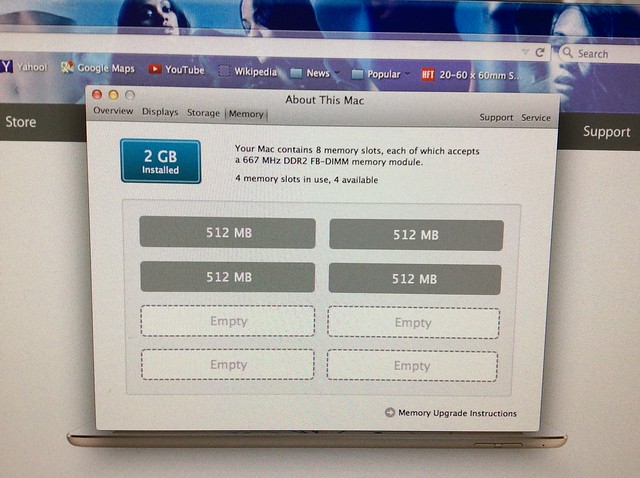
Thoughts?
P.S. That's Zoe Saldana up there, not porn pics, lol...Leave a comment:
-
One fact I did learn about my old 2007 Mac Pro...Lion is indeed the highest operation system I can go...but it's cool...as long as I can use my illustrator and Photoshop in peace, ha...Leave a comment:
-
My colors of RAM chart was all yellow and red...not blue...my Mac Pro's 2GB just couldn't handle all the Adobe goodies I had acquired...
So I went ahead and got me four of these...for a total of 16GBs...
My old Mac Pro will now have a total of 18GB of RAM...hopefully that will speed up things.
I'll keep you posted.
P.S. I almost bought a Mac Mini yesterday...but held off...hoping a lowly $60 gamble will do the trick.
Thanks guys!

Leave a comment:



Leave a comment: