If this is your first visit, be sure to
check out the FAQ by clicking the
link above. You may have to register
before you can post: click the register link above to proceed. To start viewing messages,
select the forum that you want to visit from the selection below.
It's sold on Amazon too and getting good reviews. Scroll down and read the review from the guy who got the speed boost. Sounds like just what you are looking for.
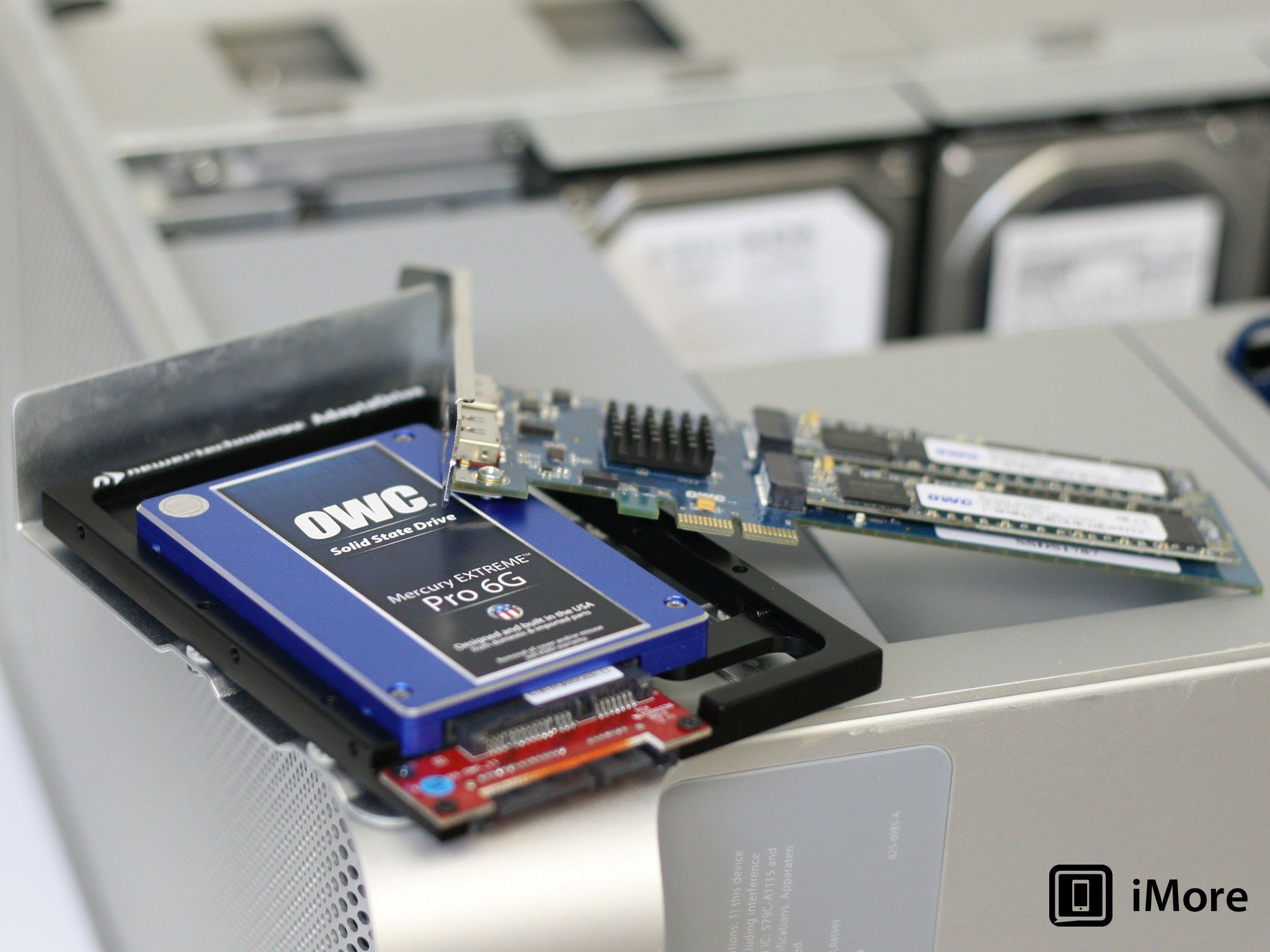
You know, it's more expensive than an adapter for the HD bay...but the SSD on the PCI slot seems to be much faster than placing the SSD in the HD bay...so it's worth going this route after all...
Apple's new Mac Pro has some Mac users buzzing: the tiny machine appears to be crazy fast, and it's a total redesign of the system - replacing the giant aluminum box of yore with a tiny little black c
Super thanks, yeah!
I guess that Crucial SSD will work fine with the OWC PCI mount...
Yes, Time Machine is an App installed on your computer. You can access it via your system prefs panel. Actually, anytime you plug a new hard drive into your computer it should pop up and ask if you want to use it with Time Machine. Just plug in a portable or internal drive and run Time Machine to do a full back up. Then, after you do a clean install of the Mac OS onto the SSD, when you boot and have to windows where you need to setup the computer, one of the options will show "restore from Time Machine backup". Choose that option and follow the instructions.
One fact I did learn about my old 2007 Mac Pro...Lion is indeed the highest operation system I can go...but it's cool...as long as I can use my illustrator and Photoshop in peace, ha...
My friend just confirmed that as well!
He did tell me there might be a way to hack it though:
Hi, Low End Mac readers. My name is Robert Bryant, and I am a computer tech in Central California just south of San Jose. As a daily Mac Pro user, I wanted to provide the Low End Mac community with the necessary steps to take a base model 2006 Mac Pro 1,1 or 2007 2,1 […]
It's sold on Amazon too and getting good reviews. Scroll down and read the review from the guy who got the speed boost. Sounds like just what you are looking for.
Yes, Time Machine is an App installed on your computer. You can access it via your system prefs panel. Actually, anytime you plug a new hard drive into your computer it should pop up and ask if you want to use it with Time Machine. Just plug in a portable or internal drive and run Time Machine to do a full back up. Then, after you do a clean install of the Mac OS onto the SSD, when you boot and have to windows where you need to setup the computer, one of the options will show "restore from Time Machine backup". Choose that option and follow the instructions.
Time Machine is an auto backup application in the Mac OS. You can use it to back up (copy) your system to the new drive. It is also a great tool to automatically back up system and important files to a dedicated backup storage device when the computer is not in use. Time Machine was introduced in OS 10.5, so you should have that available with the OS you are using.
So if I already have Lion. Why do I need to reinstall it?
The SSD will be blank so you will have to install Lion on it. Just boot up your computer while holding down the option key (or command key, it's been while since I did this) and you will get a screen with several drive icons. Choose the recovery disk and it will boot from that. From there you can install Lion on the SSD.
Where do I place the SSD...in the first slot? Move the HDD to the next slot?
I don't think it really matters which slot it is in but you will need an adapter. Or if you are not afraid to get a little more technical, you can install it via the unused connection in your DVD drive bay (unless you already have two DVD drives in there). You have to slide the entire bay out and you will see the cables in there. You can just mount the SSD to the one side of the bay. That is where I have mine installed. This will save you a slot for drives and save you from having to buy the adapter.
How about Applications and my Adobe software. Do they transfer automatically to the SSD?
You could do a Time Machine backup of your existing drive and then do a TM transfer when you start from the freshly installed OS on the SSD. I'd recommend doing a fresh install of all your software instead. This will prevent any corrupted pref files from being transferred. These are the culprit of many system slowdowns.
So by HDD being backup...I work Illustrator/Photoshop through the SSD...and transfer to HDD as storage?
Yes, put your OS and all your Apps on the SSD and use the regular drive for storage.
No deletion of my files will happen?
Nothing will delete from the regular drive unless you manually delete it.
Man, I love you!!!!
I do have two DVD drives.
But only have two HD...two other slots are available to place a SSD.
Fits all 3.5-inch SATA drive bays, including desktops, enclosures, or backplane trays as found in the Mac Pro. Fully SATA 3.0 Revision (6Gb/s) compliant.
What's a time machine backup? How you do that?
Sooooooooooooooooooooo glad you are helping me out...much appreciated...
So if I already have Lion. Why do I need to reinstall it?
The SSD will be blank so you will have to install Lion on it. Just boot up your computer while holding down the option key (or command key, it's been while since I did this) and you will get a screen with several drive icons. Choose the recovery disk and it will boot from that. From there you can install Lion on the SSD.
Where do I place the SSD...in the first slot? Move the HDD to the next slot?
I don't think it really matters which slot it is in but you will need an adapter. Or if you are not afraid to get a little more technical, you can install it via the unused connection in your DVD drive bay (unless you already have two DVD drives in there). You have to slide the entire bay out and you will see the cables in there. You can just mount the SSD to the one side of the bay. That is where I have mine installed. This will save you a slot for drives and save you from having to buy the adapter.
How about Applications and my Adobe software. Do they transfer automatically to the SSD?
You could do a Time Machine backup of your existing drive and then do a TM transfer when you start from the freshly installed OS on the SSD. I'd recommend doing a fresh install of all your software instead. This will prevent any corrupted pref files from being transferred. These are the culprit of many system slowdowns.
So by HDD being backup...I work Illustrator/Photoshop through the SSD...and transfer to HDD as storage?
Yes, put your OS and all your Apps on the SSD and use the regular drive for storage.
No deletion of my files will happen?
Nothing will delete from the regular drive unless you manually delete it.





Leave a comment: