

-
I don't have a macro lens, I have stackable macro filters (2x, 3x, & 4x) that just screw on end of lens. You can use one, or all 3 for a 24x macro zoom.
BTW, I shot a three-legged alligator today

Leave a comment:
-
Cheers. It's 20% filtered daylight, 50% Luxo lamp and 30% fiddle with the curves* in Photoshop.
* Image > Adjustments > Curves.

Leave a comment:
-
I was fortunate enough to have a job which paid me to sit there and teach myself Photoshop (version 2 in the early 90s).
I wish I had a macro lens, but other expenses keep messing with my priorities. Got the kit lenses and a 50mm f/1.4.


Leave a comment:
-
I downloaded it the other day, but it is so complicated, it would take me 60 days to just figure out how to basically use it.
Nice macros of the toy car. i did these a few weeks ago
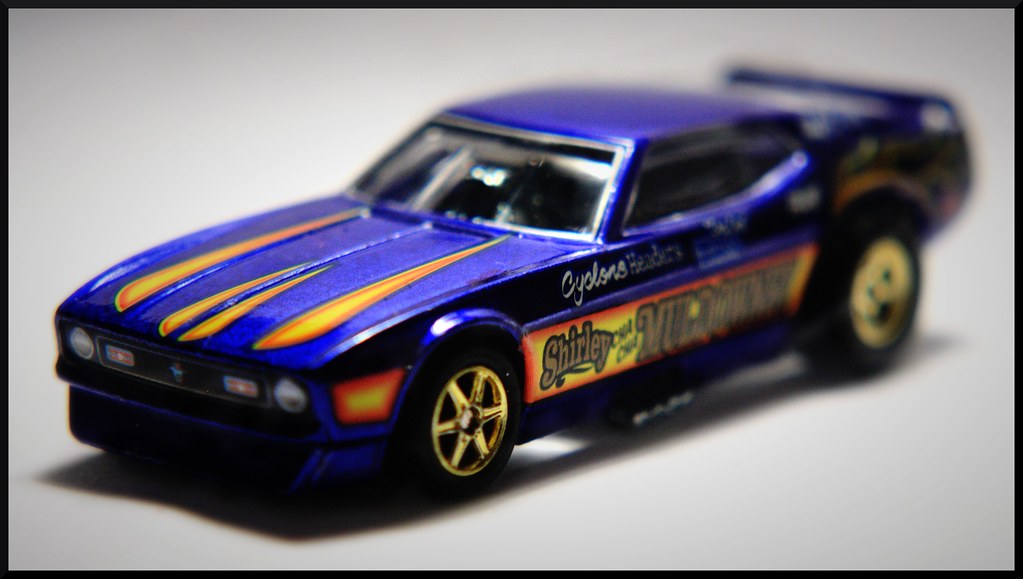
 Last edited by theantiquetiger; Apr 12, '12, 7:52 AM.
Leave a comment:
-
If you're after photo editing software, you can download the beta of the upcoming version of Photoshop (CS6) for free (it'll expire when the finished version is released).
Download Adobe Photoshop CS6 Beta - Adobe Labs
Otherwise I'd suggest Photoshop Elements or Adobe Lightroom.

Matchbox Flying Bug (1972)

Matchbox Mini Ha Ha (1975)

My Headphone Stand

Cropped too tight, but hey, head on a desk - what can ya do?

Action Man photoshopped to hell and back.
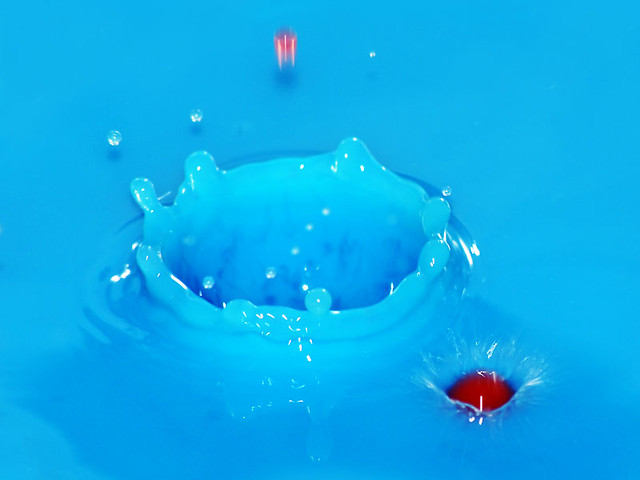
Blurry first attempt in my kitchen sink. Got to get around to trying this again.Last edited by Captain Big Trousers; Apr 11, '12, 6:22 PM.Leave a comment:
-
Ha! well no problem from me! that looks fantastic, thank you very much!!
It's funny, my best friend of the last 20 odd years is constantly swiping my pics off facebook and photoshopping my head on everything, I'm pretty sure there's a pic of a walking stick with my head on it somewhere.Leave a comment:
-
At home I use a Canon 1DS Mark III. Yeah, I had to give my liver and kidney for it, but it's a great camera. My lenses are a Canon EF 100mm f/2.8 Macro, Canon EF 70-200mm f/2.8L and a Canon EF 24-105mm f/4 L IS. I have the same body and lenses at work, but I also have a Phase One H20 digital back on a Hasselblad body and an assortment of lenses. The Canon was used for the welding shot and the Hassy was used for the crystal vases shotLeave a comment:
-
-
Here's another shot where the client let me use light MY WAY, instead of using it the boring way. Still a boring shot, but there is only so much you can do with commercial photography.

Leave a comment:
-
This is kind of unkosher, but I edited your photograph to show stuff you can do with GIMP in about 3 minutes (its a big no-no to edit someone's image on a photography forum w/o their permission)

Original

As you can see, I lightened it, added better skin tone to the hand, and actually painted the walking stick green, plus a played with the tones, etc.Last edited by theantiquetiger; Apr 11, '12, 9:42 AM.Leave a comment:
-
Thanks, good advice. My camera has certain "functions" I think this was "pinhole" which accounts for the darkness around the frame. I have a habit of taking photos really close, rather than a wider shot and cropping later (something I really need to learn to do). I think it's because one of my proffessors was really militant about tightly cropped pics, he hated any little extra and would given lower grades for pics not cropped super super tight.Leave a comment:
-
Here is an example of how lighting can make an interesting photo into a dramatic eye catcher. I do mostly commercial photography at work, which is pretty boring. Customers usually aren't concerned with award winning photos. They want a photo that shows off their product best. We were designing a brochure for a local steel foundry that specializes in huge steel girders for bridges. I took all of my flash heads and lighting equipment and used it all for most of the photos. When we came to the welding section, I decided to forgo most of the equipment and use light to my advantage to create a dramatic, eye catching shot. I figured I could slip one into the brochure. Instead of lighting everything so you could see all of the detail of the shot, I used very little light to create this photo

Leave a comment:
-
Great shot, a little on the dark side. Becareful of the crop, where his arm nearly goes out of frameLeave a comment:


Leave a comment: